
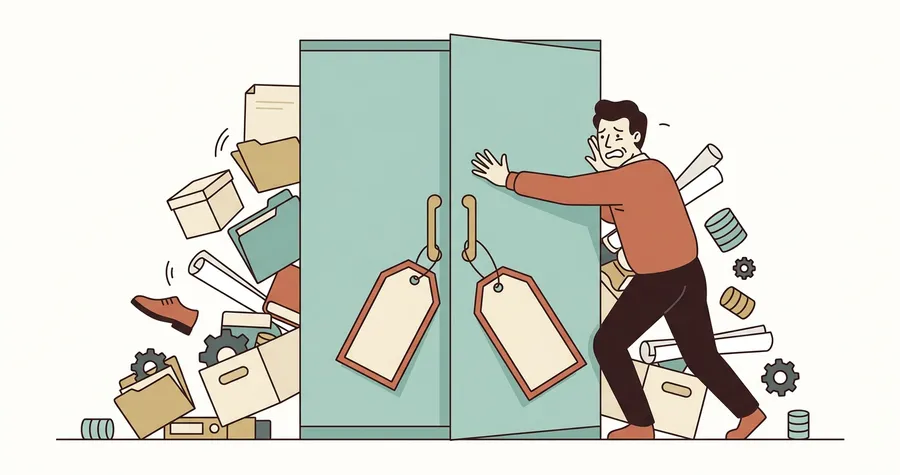
Lesson 23 was about caching done right: storage levels, the lazy materialization, the MEMORY_AND_DISK default that quietly does the right thing 95% of the time. This lesson is the other side of the same coin. Caching is not free. It costs memory, it costs CPU, it costs garbage-collection time, and most painfully, it costs the rest of your job the resources it would have used otherwise. There is a version of your job that runs faster without .cache() than with it, and chances are you’ve written that job at least once.
This is the lesson that explains why “just cache it” is the most over-prescribed piece of Spark advice on the internet, and how to recognize the moment you’re making things worse.
Caching costs memory the rest of your job needs
Executor memory is one bucket. Spark partitions it into sub-regions — execution memory (for sorts, aggregations, join buffers, shuffle reads), storage memory (for cached DataFrames), and a small reserved chunk for the framework itself. Since Spark 1.6 these regions are unified: storage and execution share a pool and borrow from each other dynamically. Storage can grow into execution’s region when execution isn’t using it. Execution can evict storage when execution needs the space.
That last sentence is the trap. Execution will evict your cached partitions if it has to. The arithmetic is simple. You have a 16 GB executor. About 10 GB of that is the unified region. You cache a 9 GB DataFrame. Then a join shuffle needs a 4 GB sort buffer. Spark has two options: spill the sort to disk (slow), or evict 3 GB of your cache. Either way, the “performance optimization” you added is now actively making the job slower than the no-cache version, where execution would have had the full 10 GB to work with.
The mental shift: a cached DataFrame is a tenant. You took a chunk of executor memory and rented it to a single intermediate result. Every other operation in the job — every join, every aggregation, every shuffle read — has less room to work because of that decision. The benefit has to be bigger than that ongoing cost. If it isn’t, you’re paying rent for nothing.
Caching a DataFrame you only use once is pure overhead
The cleanest antipattern. You write something like this in a hurry:
prepared = (
    spark.read.parquet("orders/")
        .filter(col("year") == 2026)
        .join(broadcast(customers), "customer_id")
        .withColumn("revenue_eur", col("total") * col("eur_rate"))
).cache()

prepared.write.parquet("out/orders_2026/")
One cache, one action. The cache is being read exactly once, by the write. Spark already has to compute the DataFrame to write it. There is nothing to save by caching, because there is no second action to serve from the cache.
Worse than nothing: the cache call adds work. Every partition, after being computed, gets serialized into the storage region. That’s CPU and memory for zero downstream benefit. The job with .cache() is strictly slower than the job without it. Sometimes by 10%, sometimes by 30% if memory pressure forces spilling.
The rule is one you’ll hear again at the end of this lesson: cache only when the same DataFrame is consumed by two or more actions. One action means no cache. Always. No exceptions for “I might add another action later” or “it makes the code feel safer.” Add the cache when you add the second action, not before.
The “cache the whole intermediate then reference downstream” antipattern
This one is sneakier. You build a wide intermediate DataFrame with thirty columns, cache it, and then derive five small downstream DataFrames from it that each use a handful of columns. Feels efficient — “I only compute it once.” It’s actually the most expensive shape your job can take.
# Antipattern: cache a wide intermediate
big_intermediate = (
    raw_orders
        .join(customers, "customer_id")
        .join(products, "product_id")
        .join(stores, "store_id")
        .withColumn("...", ...)
        # ... thirty columns later ...
).cache()

# Each downstream uses a small slice of those columns
revenue_by_country  = big_intermediate.groupBy("country").sum("revenue")
returns_by_product  = big_intermediate.filter("is_return").groupBy("product_id").count()
top_customers       = big_intermediate.groupBy("customer_id").sum("total").orderBy(desc("sum"))
The cache stores all thirty columns of every row, in JVM-object form, even though no single downstream needs more than five. You’ve ballooned the storage footprint maybe 5x compared to what’s actually used. Memory pressure goes up, eviction risk goes up, GC time goes up, and the “savings” from not recomputing the joins is in many cases outweighed by the deserialization cost of reading thirty columns when you only wanted five.
The fix is uglier but faster. Either project narrow before caching, or — the move that actually wins — write the intermediate to Parquet once and read it back where you need it:
# Better: persist to Parquet, project on read
intermediate_path = "tmp/orders_enriched/"
big_intermediate.write.mode("overwrite").parquet(intermediate_path)

revenue_by_country = (
    spark.read.parquet(intermediate_path)
        .select("country", "revenue")
        .groupBy("country").sum("revenue")
)
Parquet’s columnar storage means each downstream reads only the columns it needs. Spark’s predicate pushdown means the filter happens at scan time. You’ve turned a “cache the whole world” pattern into something the file format optimizes for you. Lesson 12 covered why Parquet earns its place in your pipeline; this is one of the reasons.
The garbage collection trap
Cached deserialized objects (the MEMORY_AND_DISK default) live in the JVM heap as Java objects. The JVM’s garbage collector walks the heap periodically to figure out what’s reachable. Every cached row is a reachable object that the GC has to consider on every pass.
A 5 GB cache made of, say, 50 million Row objects is 50 million live references for the GC to traverse. Every minor GC pause gets a little longer. Every major GC pause gets a lot longer. In the Spark UI’s Executors tab you’ll see the “GC Time” column climb. By the time GC time is 20-30% of total task time, you’re losing more to garbage collection than you’d lose to the recompute you were trying to avoid.
The signal: you cached a DataFrame, the job got faster on the warm read, but the first (cache-warming) action got slower, and subsequent stages that used to fly are now taking weirdly long. Check the Executors tab. If GC time is in double-digit percentages, your cache is the suspect. The fixes:
- Switch to a serialized storage level (
MEMORY_AND_DISK_SER) — fewer live objects for GC to walk, at the cost of CPU on every read. - Reduce the cached DataFrame’s column count or row count (project narrow, filter early).
- Stop caching it. Recompute is sometimes genuinely cheaper than dragging a fat cache through every GC cycle.
”I cached it but my job is still slow”
The classic call-out from a colleague: “I added .cache() to that DataFrame and the job is still slow, what gives?” Nine times out of ten the cache is not actually doing what they think it’s doing. There is exactly one place in Spark to verify it: the Spark UI Storage tab.
Open the running job’s UI. Click Storage. You’ll see a table with one row per cached RDD or DataFrame:
| RDD Name | Storage Level | Cached Partitions | Fraction Cached | Size in Memory | Size on Disk |
|---|---|---|---|---|---|
*Project ... | Memory Deserialized 1x Replicated | 200 | 100% | 4.2 GB | 0 B |
The two columns that matter:
- Fraction Cached. If it’s not 100%, parts of the DataFrame got evicted. A cache at 40% is a cache that’s recomputing 60% of the time on every read. You think you’re hitting the cache; you’re hitting the source three times out of five.
- Size in Memory / Size on Disk. If memory is at zero and disk is doing all the work, you’re effectively running
DISK_ONLYwith extra steps. The cache “works” but the read cost is local-disk read, not RAM read. Often comparable in speed to recomputing from a Parquet source on the same disks.
If your cached DataFrame doesn’t appear in the Storage tab at all, no action has materialized it yet — .cache() alone doesn’t do anything until something forces computation. (Lesson 23 covered the df.cache(); df.count() warm-up idiom; this is exactly when you reach for it.)
The other diagnostic: run df.explain() and look for InMemoryTableScan or InMemoryRelation near the top of the physical plan. If you don’t see it, Spark isn’t serving from cache, regardless of whether you called .cache() somewhere upstream. The most common cause is variable shadowing — you called .cache() on a DataFrame, then reassigned the variable, and the new DataFrame has no cache pointer. Lesson 23’s “subtle bug” section had the gory detail.
The rule
Cache only when all three of these are true:
- You’ll iterate over the same DataFrame two or more times with separate actions.
- The recompute cost is high — multiple shuffles, expensive joins, heavy
withColumnchains, a slow source. - The cached size fits comfortably in storage memory, with room left over for execution.
Miss any one of those and the cache is at best a wash, at worst a regression. Cache one DataFrame at a time, verify it lit up green in the Storage tab, and .unpersist() it the moment you’re done — long-running notebooks and structured streaming jobs are particularly punishing about leaked caches because the SparkSession lives forever.
The forward connection. Module 5 starts in lesson 25 with the shuffle, and runs through joins, broadcasts, skew, and salting. Caching shows up there too, but in a very different role: caching the small side of an iterative join, caching the result of a one-shot expensive shuffle so that ten downstream queries don’t each pay for it. Those are real wins. They look like the patterns in this lesson’s “do” column, not the “don’t” column. The discipline you’re learning here — verify in the Storage tab, project narrow, never cache for a single action — is exactly the discipline that turns Module 5’s optimizations from cargo-cult to repeatable.
The cache is a scalpel. The temptation, especially when a job is slow and the manager is asking for an ETA, is to use it as a hammer. Resist. Open the Storage tab first.